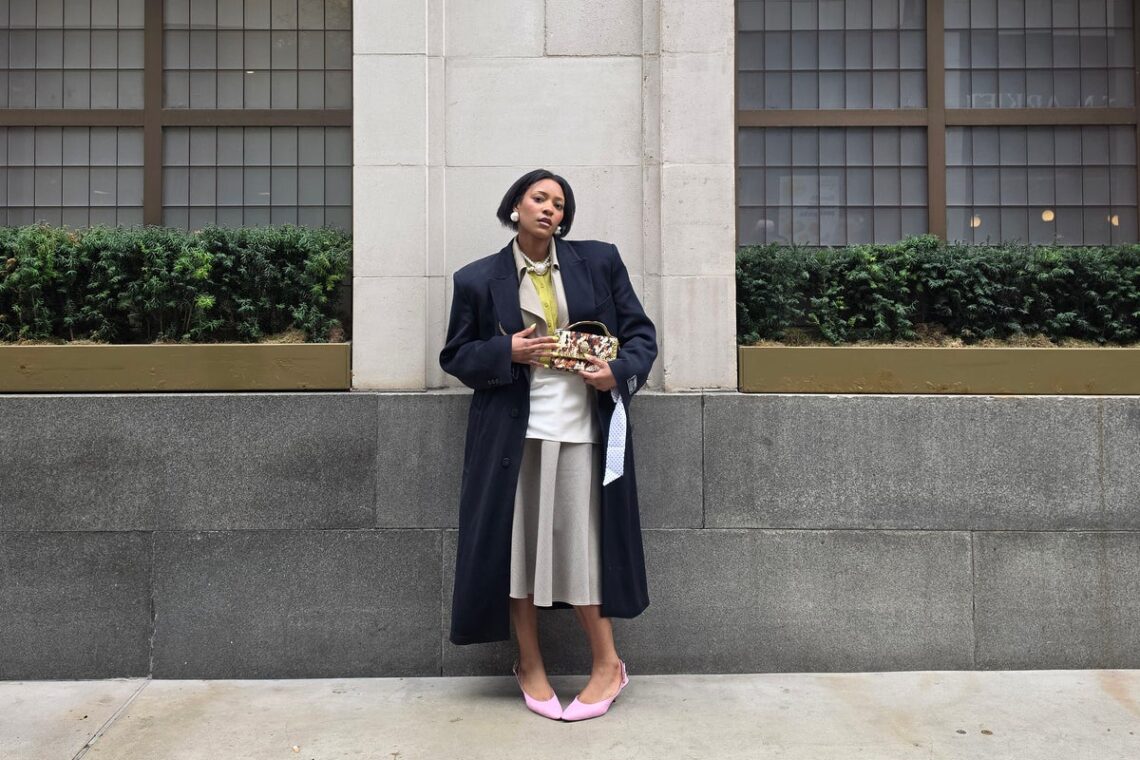
From settings to AI tech: Easy ways to elevate fashion photos and videos on your phone
Lara Owen is a fashion and beauty writer specialising in trends, catwalk reports, culture and celebrity interviews. She is also the founder of Stories on Style, a fashion-focused Substack.
Whether you are shooting outfit photos for Instagram, filming haul videos for TikTok or capturing multiple details from a street style look, fashion content has come a long way from the quick snaps and heavy filters of the past. Today, creating standout fashion content is about knowing how to combine creative instinct with the right tools. But with high spec phone camera features and AI powered tech, there are plenty of simple, in-built ways to make your fashion content look sharper, smoother and more professional.
London-based creator Belinda Ingrid is known for her bold use of colour, texture and composition, capturing everything from full outfit shots to close-up details. Using her phone as an all-in-one creative tool, she shoots, edits and shares content on the go, without extra equipment. We spoke to Belinda about the techniques she uses to elevate her fashion content – from styling and shooting to location, lighting and detail – and how the Samsung Galaxy S26 Ultra helps her create the diverse, directional content that’s signature to her feed.
Capture sharper outfit details with high-resolution zoom
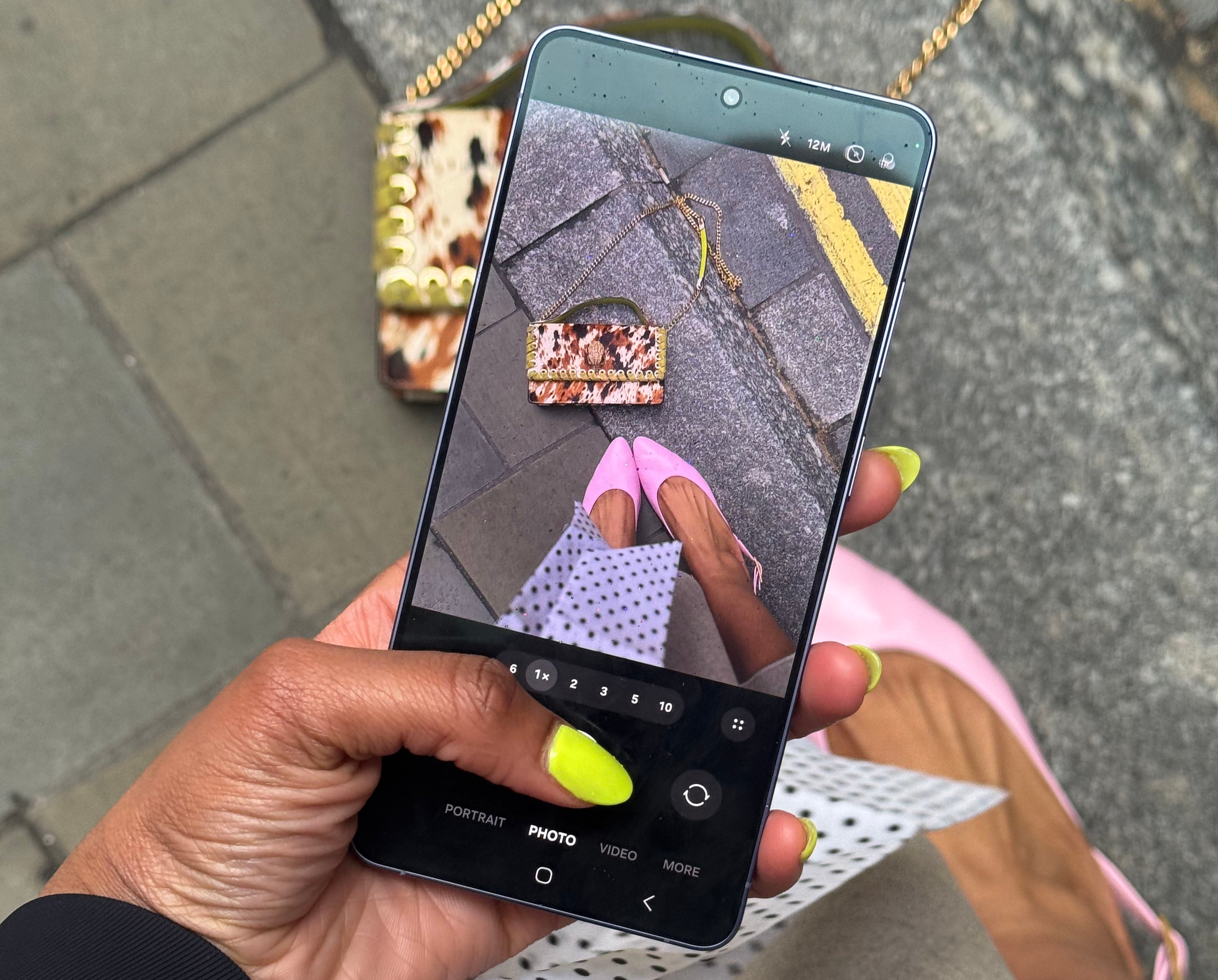
Details matter in fashion, from fabric texture to accessories. High-resolution cameras and optical zoom make it easier to capture those elements without compromising quality.
“I use Zoom to sort of capture those details,” Belinda says. “You can’t always see all your details in a full body, normal lens. So it’s quite nice to use zoom to really enhance those textures.”
The Galaxy S26 Ultra’s 200MP main camera keeps details sharp and true to colour, while 10x optical-quality zoom allows creators to isolate textures and accessories, even from a distance.
“Using Zoom can make an interesting composition on its own – it feels like something I’d normally crop after I’ve taken a photo,” she says. Zooming in-camera allows for a focus on specific details or a way to create shapes in the moment, while keeping everything crisp and high quality.
Take better low-light fashion photos without flash
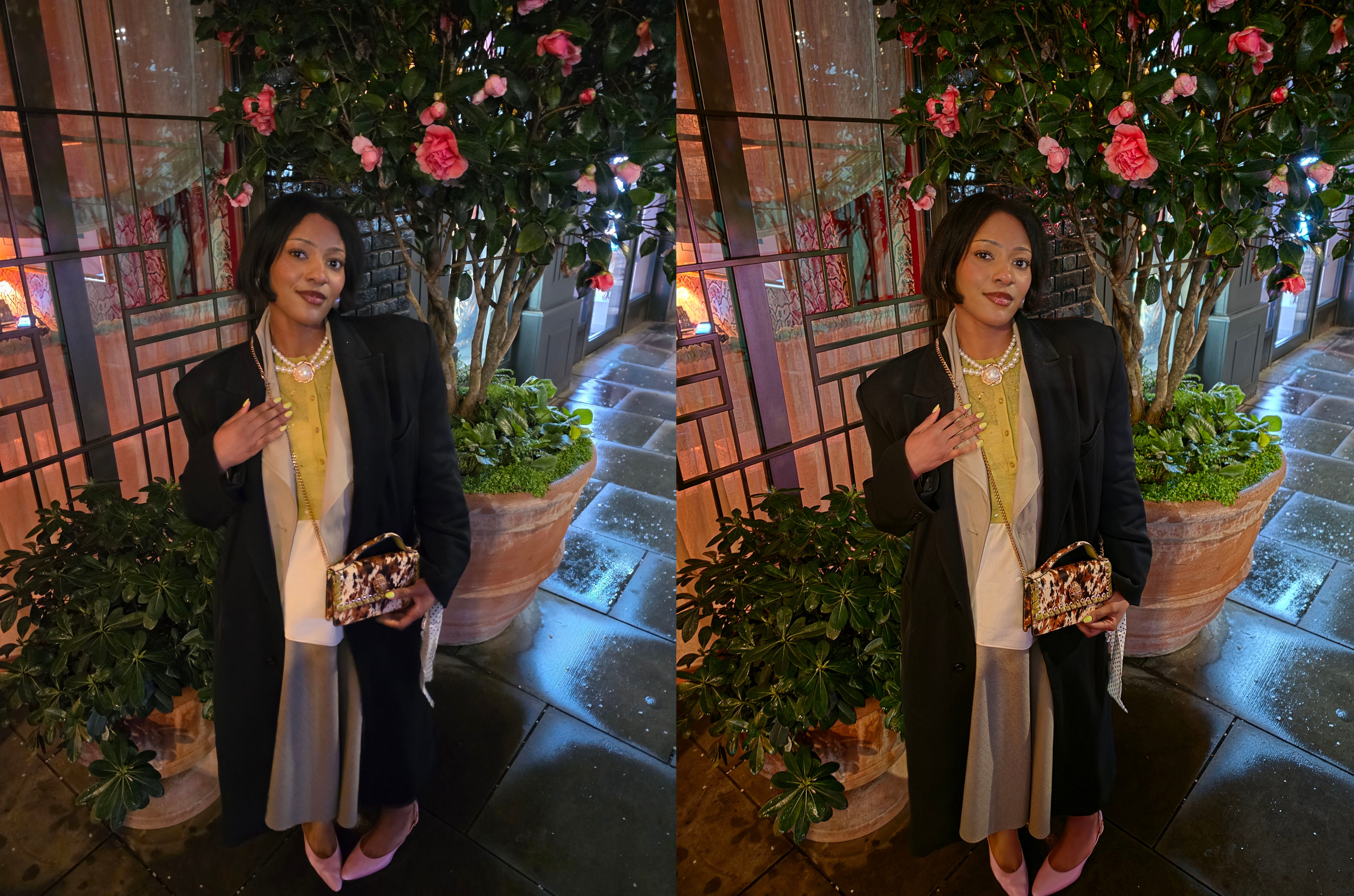
Low-light photography has traditionally been a limitation for mobile creators. “In the past it’s been quite hard to shoot at night – you have to lean into using Flash, which isn’t really something I like doing,” Belinda says, “it’s quite a specific style which doesn’t really fit with my feed”.
As Belinda notes, using flash can often make fashion content look flatter and less natural, as it can wash out skin tones, bleach the colour from clothing and accessories, and reduce the texture and detail that is so important to fashion photography. It can also create unwanted shine and harder shadows, making images look less professional.
With Nightography mode and video*, evening content becomes far more accessible, allowing creators like Belinda to capture brighter, sharper images and clearer video with improved detail, texture and colour accuracy, even in low light. “The photo taken using Nightography mode* was way brighter, and much more clear. I could see my make-up clearer – I can see that the tones were red in my lips and my blush.”
Create smoother, more professional fashion videos
Video is central to fashion content, but without stabilisation, even the best ideas can fall a little flat. To create high-quality video, Belinda says “I make sure that if I’m walking, the camera is held and stabilized. “It needs to be really polished and not feel too shaky.”
The Galaxy S26 Ultra’s AI-powered Super Steady Video** uses real-time gyro and accelerometer data to detect movement and automatically correct the horizon, helping keep footage level and smooth even when shooting handheld. “I forgot my tripod at home, so I used it to capture a street style element,” she says, highlighting how effective it is for capturing stable, polished clips on the go.
Tools like Audio Eraser† also help refine video further by using AI to identify and adjust different types of sound – such as voices, wind or background noise – allowing creators to reduce distractions and keep the focus on the subject.
Elevate fashion selfies with more natural detail
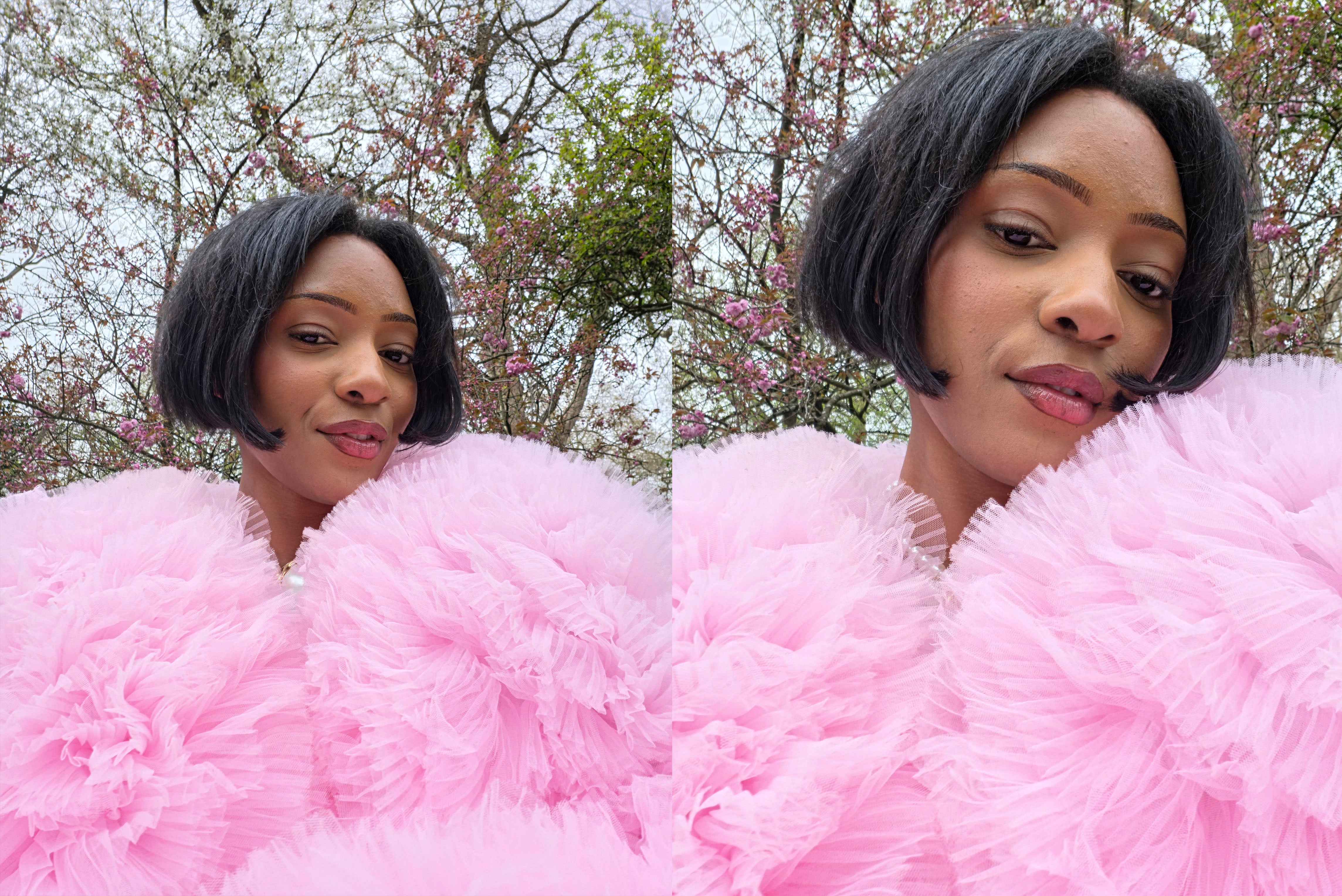
Selfies remain at the core of fashion content with a recent shift towards a more natural look. “Good lighting is key,” Belinda says. “The best thing that you can do is have good lighting, as well as playful poses too.”
The Galaxy S26 Ultra’s front-facing camera, powered by its Advanced Selfie AI processor, enhances fine details like hair and skin texture while maintaining a natural finish, with options to adjust angles, tones and subtle effects for more controlled yet true-to-life results.
Get more creative with fashion edits on your phone
“I feel like more and more creators have gotten more creative with their Instagram,” says Belinda. Built-in tools like Creative Studio‡ allow for layering, remixing and experimenting with visuals directly within your gallery.
“This Creative Studio‡ can come in really, really handy,” she says. “I don’t have to use a bunch of stuff – I can just do all of it on one device.”
This opens up new ways to present fashion content – whether through collage-style layouts, mixed perspectives or combining detail shots with full looks.
Create fashion content more easily on the move
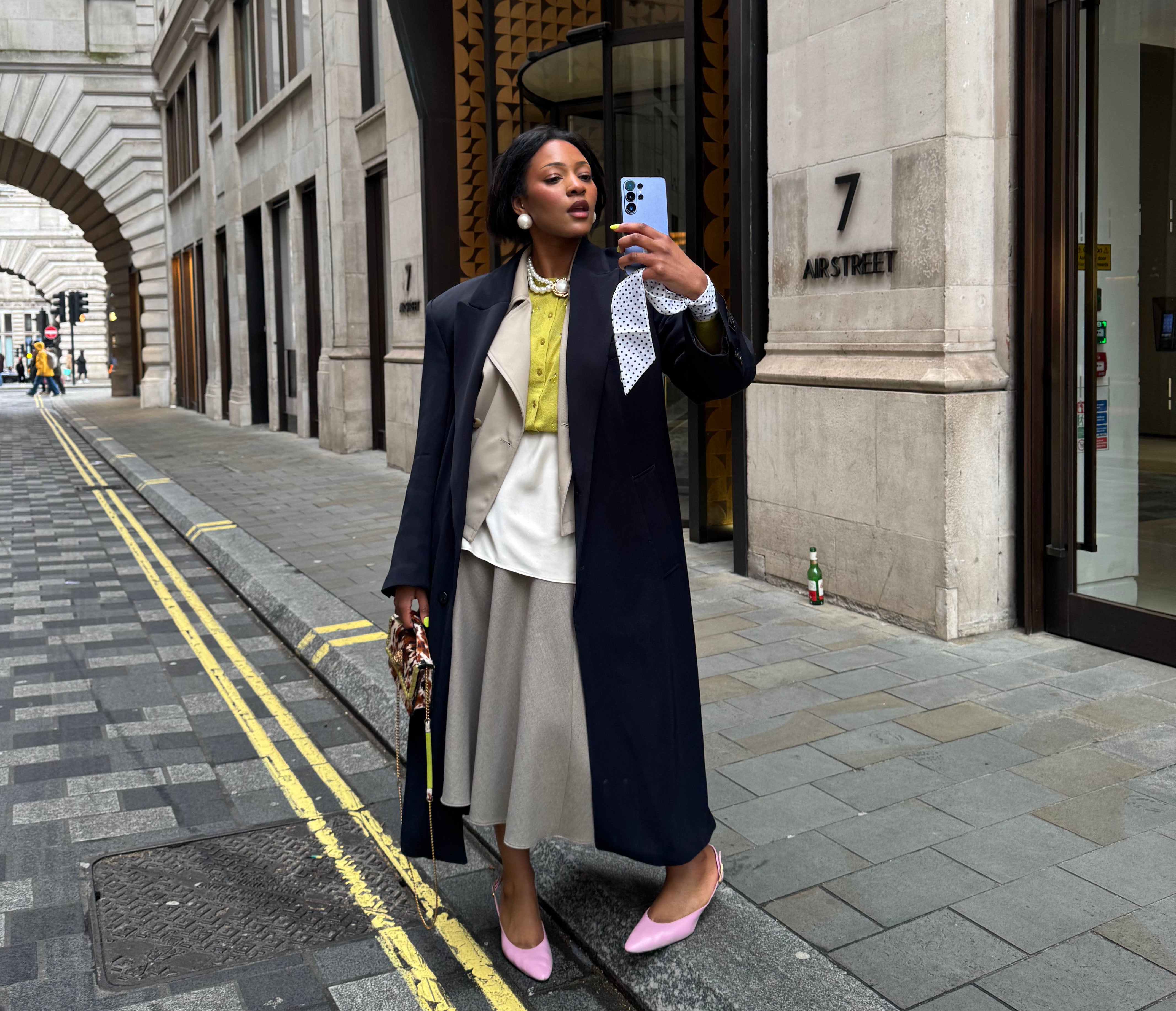
Creating fashion content isn’t just about taking photos, of course, it also involves organising, tagging and sharing efficiently.
“Circle to Search§ is really helpful,” Belinda says, “because I can’t always remember where items are from,” referring to the useful function that can help identify or confirm outfit details in a matter of moments. “It gives people a close reference.”
Features like Privacy Display❡ also make it easy to work in public spaces by reducing screen visibility from side angles. “It’s just nice to have that privacy to edit my photos,” says Belinda.
Battery life is often overlooked, but it can shape an entire shoot day. “That was super important. I’ve had times when my battery has died and I feel like I’ve died,” Belinda laughs. “You just want to continue – you don’t necessarily want to stop to charge your device.” With the Galaxy S26 Ultra’s long-lasting 5,000mAh†† battery, creators can stay in that flow.
The phone features fashion creators rate most
For Belinda, the most impactful tools are those that combine creativity with competence. “I feel like the Creative Studio‡ makes a massive difference,” she says, “and also the Zoom feature, because details are so important.”
Ultimately, that attention to detail is what elevates content. “If people almost feel like they can touch it – that’s the intention.”
FAQ: Easy ways to enhance fashion photos and video on your phone
Find out more about the Samsung Galaxy S26 series and Galaxy S26 Ultra camera and AI features at Samsung
*Results may vary depending on light condition, subject and/or shooting conditions.
**Super Steady results may vary depending on editing method and/or shooting conditions.
†Samsung account login required. Six types of sound can be detected; voices, music, wind, nature, crowd and noise. Results may vary depending on audio source & condition of the video. Network connection required to be used on supported apps.
‡Requires network connection and Samsung account login. Accuracy of output not guaranteed.
§Compatible with select languages only. Google Account login and network connection required. If Gemini UI or Google apps are in view: Google and Gemini/ Youtube/ Maps etc are trademarks of Google LLC. Works on compatible apps and surfaces. Results may vary depending on visual matches. Check responses for accuracy.
❡Requires manual activation in settings to function. Privacy Display feature is not AI powered.
††Typical value tested under third party laboratory conditions. Rated minimum capacity of the Galaxy S26 Ultra is 4,855mAh.


You May Also Like

Kolor Spring 2026 Ready-to-Wear Runway, Fashion Show & Collection Review
What is age-related macular degeneration, the eyesight condition Dame Judi Dench suffers from?